
CloneAI AI Video Generator
Pixery Bilgi TeknolojileriPhotography
2.81.68K Reviews
- Version
- 10.3.1
- Installs
- 1.00M
- Age Rating
- Everyone
Screenshots
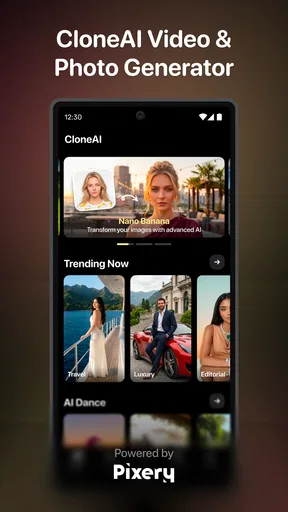
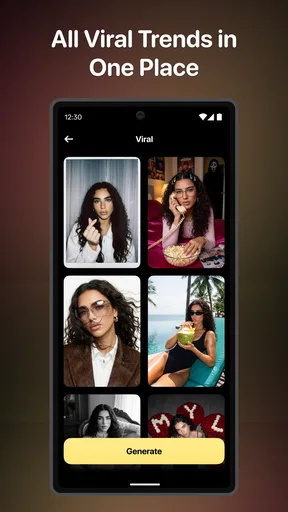
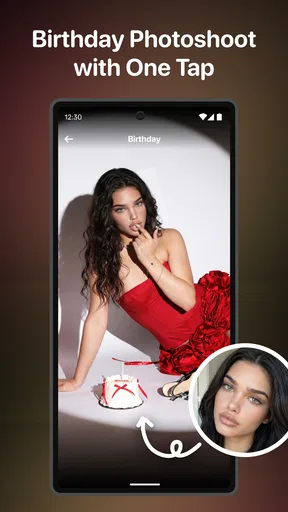
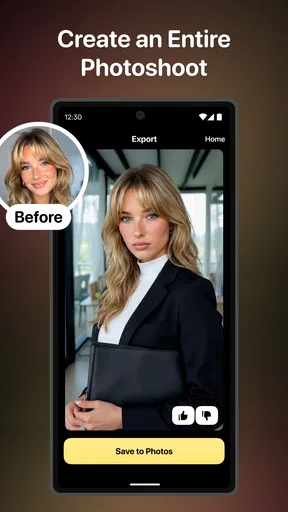
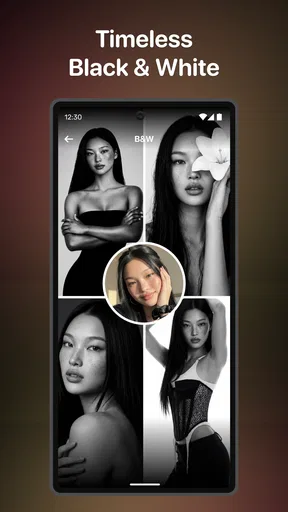
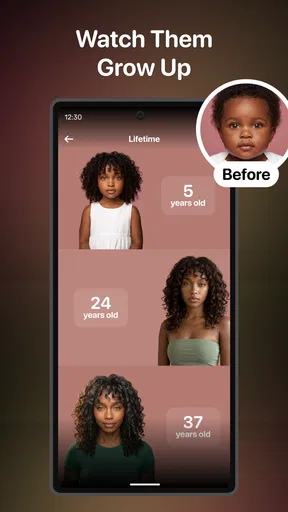
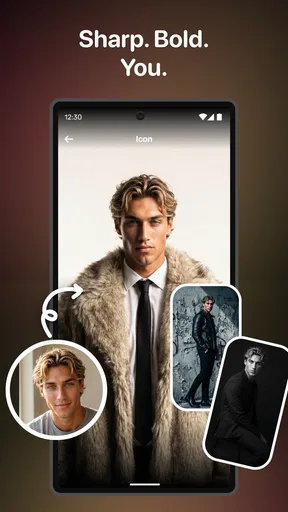
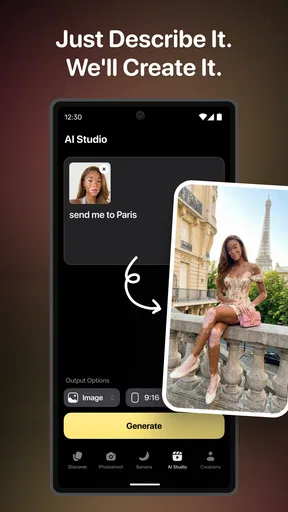
Our Review of CloneAI AI Video Generator
 Analysis by Appyee
Hey there! So, I recently got my hands on this app called CloneAI AI Video Generator, and I just had to share my thoughts with you. I’ve been tinkering with it for a while, and let me tell you, it’s quite the experience. Whether you’re a content creator or just someone who loves playing around with videos, this app might just be your new best friend.
What is CloneAI AI Video Generator All About?
Alright, so let’s dive into what CloneAI AI Video Generator really is. As the name suggests, it’s an AI-powered app that helps you create videos with a few taps. The app uses artificial intelligence to generate stunning and professional-quality videos from simple inputs. You can literally just upload a few photos or clips, and voila, it transforms them into a slick video. It’s like having a mini Hollywood studio right in your pocket!
Getting Started with CloneAI
First things first, the setup is a breeze. All you need to do is download the app from your respective app store, and you’re good to go. The interface is incredibly user-friendly, which I appreciate because who has time for complicated tutorials, right? You’ll find everything you need right on the main screen.
Once you’re in, you can start by uploading your media. The app supports a variety of file types, so whether you’ve got a bunch of photos from your last vacation or some clips from a recent event, CloneAI has you covered. Just select your files, and let the magic happen.
Features That Stand Out
The app is packed with features that make video creation not only easy but also fun. Here’s a quick rundown of what you can expect:
- Auto-Editing: The AI does all the heavy lifting. It analyzes your media and creates a video that looks like it took hours to edit.
- Customization Options: While the AI does its thing, you still have the freedom to tweak and customize. Add some music, adjust the transitions, or play with filters to match your style.
- Templates Galore: Not feeling creative? No worries! The app offers a wide range of templates to choose from. Whether you’re making a birthday video or a travel montage, there’s something for every occasion.
- Sharing Made Easy: Once your masterpiece is ready, sharing it is a breeze. You can post directly to your favorite social media platforms or save it to your device.
Why You’ll Love It
Now, you might be wondering why you should give this app a try. For starters, it’s perfect for anyone who wants to create videos without diving into complex editing software. The AI does an impressive job of piecing everything together, making you look like a pro.
Plus, it’s a huge time-saver. Imagine the hours you’d spend editing a video manually. With CloneAI, you can have something ready to go in minutes. It’s a game-changer for busy folks or anyone who’s new to video editing.
Some Final Thoughts
Overall, CloneAI AI Video Generator is a fantastic app for anyone looking to elevate their video content without the hassle. It’s intuitive, efficient, and packed with features that make video creation accessible to everyone.
If you’re ready to unleash your creativity and amaze your friends with some killer videos, I’d definitely recommend giving this app a shot. It’s like having a video editing guru right in your pocket, and who wouldn’t want that?
So, what are you waiting for? Go ahead and download it, and let me know what you think. Happy video creating!
Verdict
Strengths of CloneAI AI Video Generator
- Easy-to-use interface for beginners.
- High-quality video output.
- Fast processing times.
- Wide range of customization options.
- Supports multiple video formats.
Limitations of CloneAI AI Video Generator
- Requires a stable internet connection.
- Limited free features.
- Occasional crashes on older devices.
- Subscription can be pricey.
- Watermark on free version videos.
Other Releases by Pixery Bilgi Teknolojileri
View All
Funimate Video Editor & Maker
Video Players & Editors4.3

Zurna: AI Song & Music Maker
Music & Audio4.4

Mythic Survivors
Action4.7

Impresso - Video & Logo Maker
Video Players & Editors4.5
Similar Picks in This Category
View All
Google Photos
Google LLC4.4

Gallery
Google LLC4.2

Picsart AI Photo Editor, Video
PicsArt, Inc.3.9

B612 AI Photo&Video Editor
SNOW Corporation4.1

BeautyPlus-Selfie Photo Editor
PIXOCIAL TECHNOLOGY (SINGAPORE) PTE. LTD.4.5

Remini - AI Photo Enhancer
Bending Spoons4.1
Frequently Asked Questions
What is CloneAI AI Video Generator?
CloneAI AI Video Generator is an innovative app that utilizes artificial intelligence to create high-quality videos from simple inputs. Whether you’re a content creator, marketer, or hobbyist, CloneAI offers tools to transform your ideas into professional-looking videos with ease and efficiency.
How easy is it to use CloneAI AI Video Generator for beginners?
CloneAI AI Video Generator is designed with user-friendliness in mind, offering intuitive features and a straightforward interface. Beginners can quickly learn to navigate the app, thanks to built-in tutorials and guides that help users make the most of its powerful AI-driven tools without requiring extensive technical knowledge.
What are the key features of CloneAI AI Video Generator?
CloneAI AI Video Generator boasts several standout features, including AI-driven video editing, customizable templates, and seamless integration with popular social media platforms. The app also offers voiceover capabilities, allowing users to add narration easily, and supports various video formats to suit different needs.
Does CloneAI AI Video Generator offer customer support?
Yes, CloneAI AI Video Generator provides robust customer support to assist users with any issues or questions. The app features a comprehensive help center, detailed FAQs, and responsive support channels, including email and live chat, ensuring users receive timely and effective assistance.
Are there any subscription fees for CloneAI AI Video Generator?
CloneAI AI Video Generator offers a range of subscription options to cater to different user needs. While a free version is available with basic features, premium plans unlock additional functionalities, such as advanced editing tools and higher resolution exports. Pricing details and plan comparisons can be found on the app's download page.
